 Ordelio
Ordelio Accessibility Checker
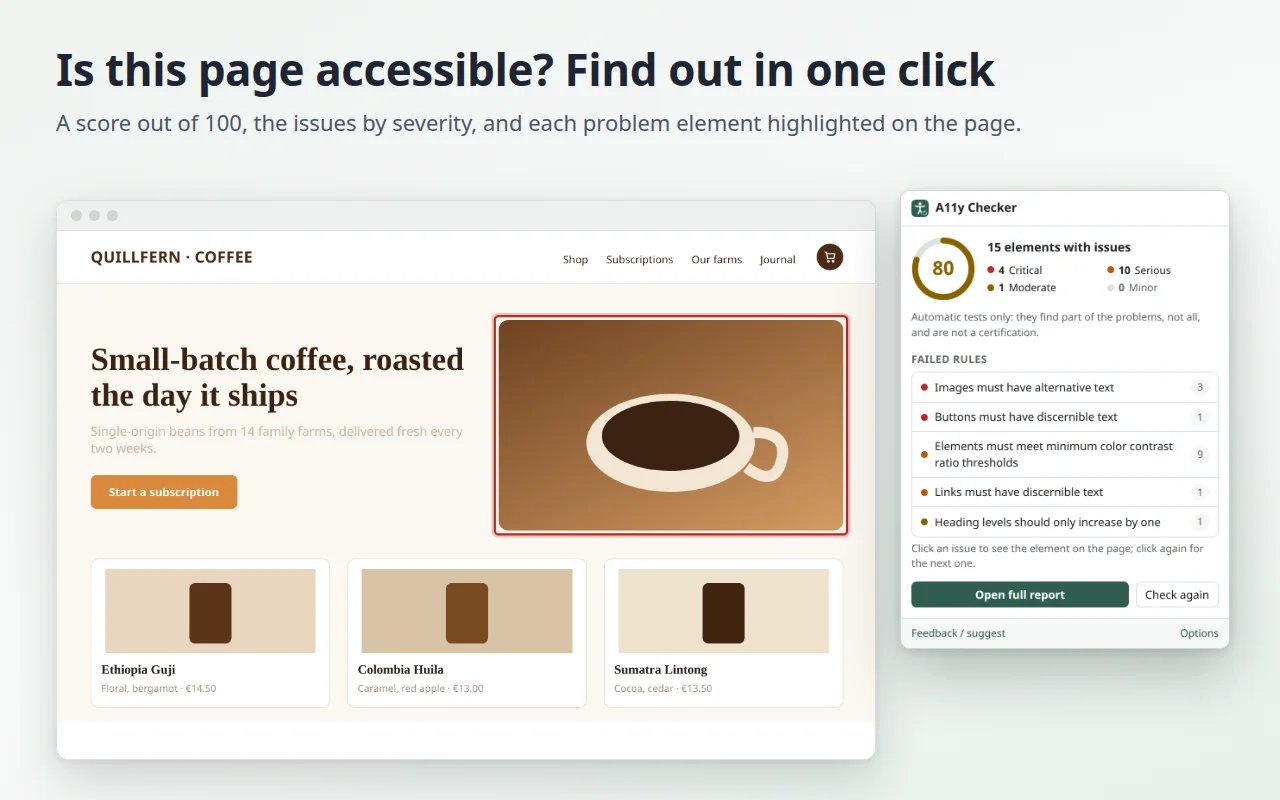
Is this page accessible? Click the icon and get a score out of 100, the issues sorted by severity and explained in plain words in your language, and each problem element highlighted on the page. Free, with every rule and no account.
In review: Chrome Web Store, Microsoft Edge Add-ons.
Why it exists
Many accessibility checkers show rule codes in English only, and some keep the useful part behind a paywall. With the European Accessibility Act in force since June 2025, more people need to know where a page stands: developers, designers, content editors, and the shop owner who just wants to know what to ask for. Accessibility Checker runs the full set of automatic tests on the page you are looking at and tells you what is wrong, where, and how to fix it, in English, Italian, German, French, Spanish, Japanese and 8 more languages.
- A score out of 100 and the issues grouped by severity: critical, serious, moderate, minor.
- See it on the page: click an issue and the element is outlined and scrolled into view; click again for the next one. It also works inside web components (open shadow DOM).
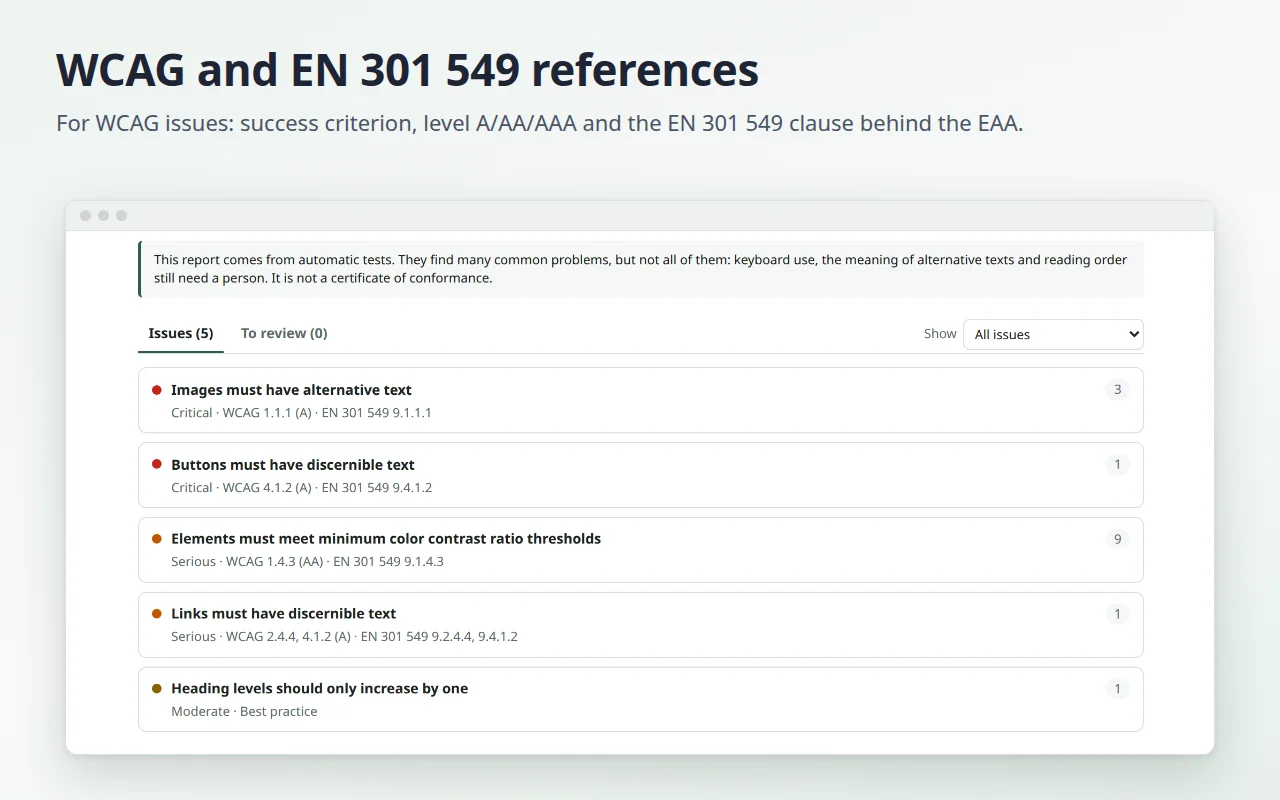
- A full report in a tab: what each rule means, the HTML of every element and what to fix.
- The references: for each issue covered by WCAG, the success criterion, its level (A, AA, AAA) and the matching clause of EN 301 549, the European ICT accessibility standard, widely used as the reference for the European Accessibility Act.
- Filters for critical and serious issues or for level A and AA, and a separate list of checks that need a manual review.
- Choose the standard: WCAG 2.2 AA, WCAG 2.1 AA, EN 301 549 or WCAG 2.2 AAA, with or without best practices.
- "Copy summary" puts a plain-text summary on your clipboard, ready for a ticket or an email.
- Every rule, free: no account, no limit on pages. 14 languages, light and dark theme.
How it works
- Open the page you want to check and click the extension icon.
- Read the score and the list of issues; click one to see where it is.
- Click "Open full report" for the details and the references.
The tests are made by axe-core, the open-source accessibility engine by Deque Systems (MPL-2.0), included in the extension: nothing is downloaded while you use it.
What automatic tests can't tell you
Automatic tests find many common problems, but not all of them: keyboard use, the meaning of alternative texts and reading order still need a person. The score helps you track progress from one version of a page to the next; it is not a certificate of conformance.
Privacy
The page is checked on your device and nothing leaves your browser. The extension reads a page only when you click its icon on it, and it has no access to your other tabs. No account, no ads, no tracking. Details in the privacy policy.
Feedback
Found a page where a result looks wrong, or missing a feature? Tell us: we read every message, and it decides what we fix next.