 Ordelio
Ordelio Keyword Highlighter
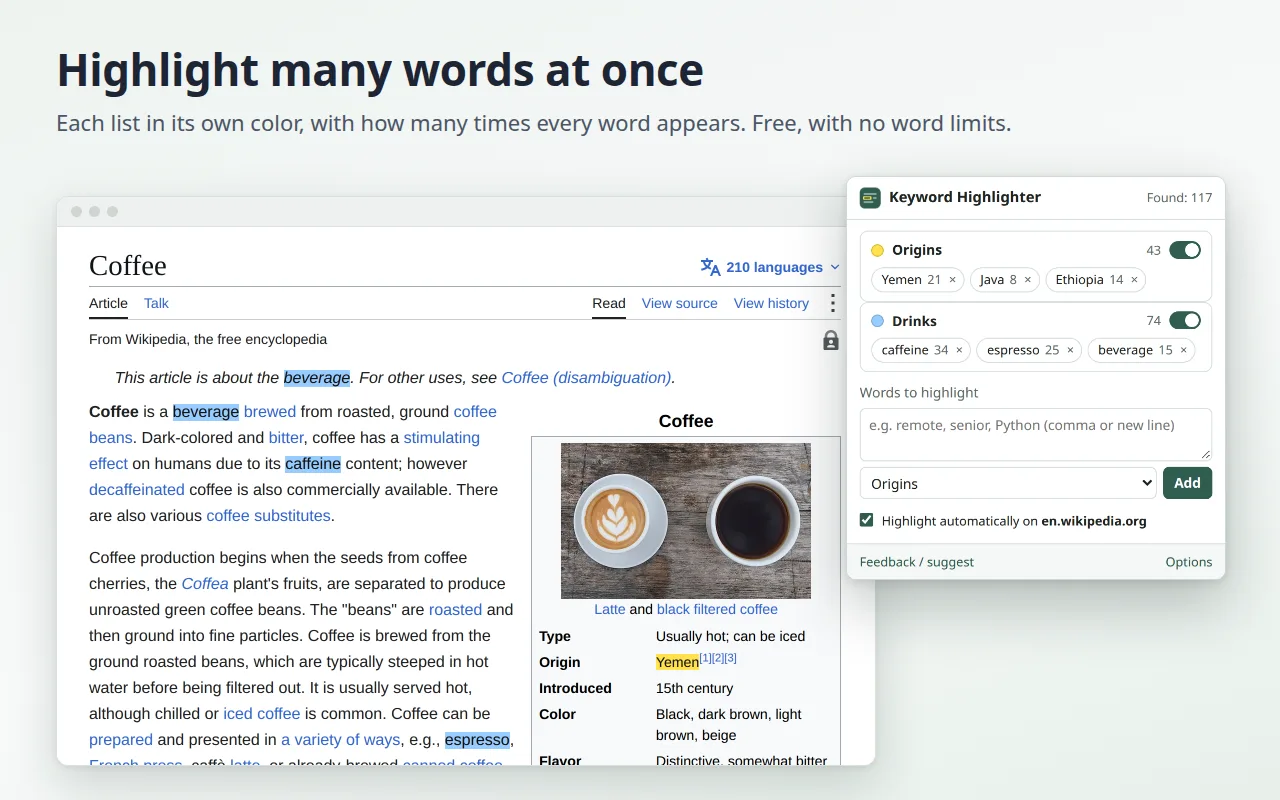
Highlight many words at once on any web page, each list in its own color, and have them marked by themselves on the sites you choose. Free, with no word limits.
Chrome Web Store, Microsoft Edge Add-ons and Firefox Add-ons: in review.
Why it exists
Ctrl+F finds one word at a time. If you scan job ads, papers, shops or long reports for the same words every day, you search again and again. Keyword Highlighter marks all your words at once and remembers them.
- Word lists in 8 colors: one for what you want ("remote", "Python"), one for what you want to avoid ("sponsored").
- Counts: how many times each word appears on the page; a click jumps to the next one.
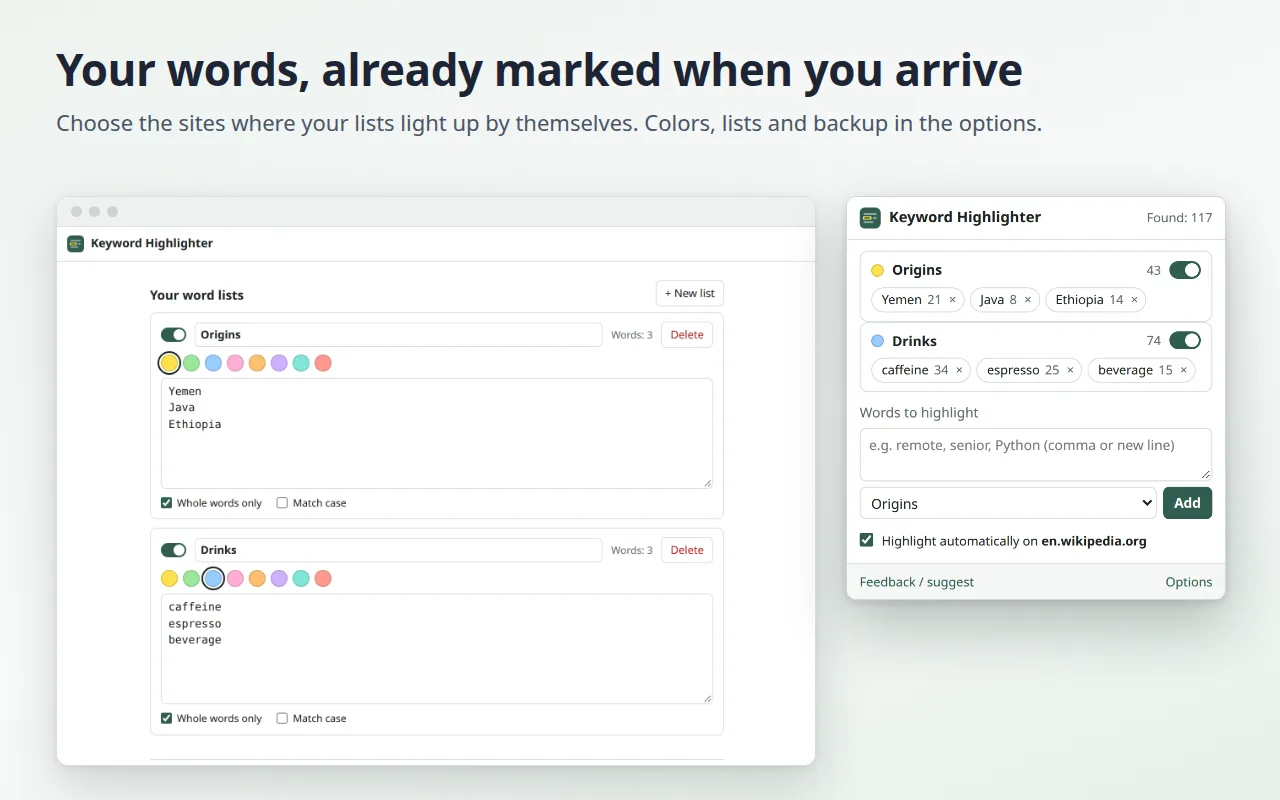
- Automatic on the sites you choose: open the page and your words are already marked.
- The page is left alone: the colors are drawn by the browser, so the site keeps working, even pages that load new content as you scroll.
- Phrases are found even when the page splits them across links or bold text; Chinese, Japanese, Korean and Thai work too.
- Right-click selected text to add it to a list; shortcuts Alt+Shift+K (open) and Alt+Shift+J (colors on/off).
- Backup your lists to a file and import them on another computer.
- 14 languages, light and dark theme.
How it works
- Click the extension icon (or press Alt+Shift+K) and type your words, separated by commas.
- They light up on the page right away, with the count next to each word.
- Tick "Highlight automatically on" to have them marked every time you open that site.
Want to know what else can do the job? Our guide compares the browser's own search, links that highlight text, and the extension: how to highlight multiple words on a web page.
Privacy
At install time the extension has no access to any website: it works on the tab you are on when you click its icon. If you choose to highlight automatically on a site, your browser asks you to allow that one site. Your words stay in your browser and are never sent anywhere. No account, no ads, no affiliate links. Details in the privacy policy.
Feedback
Missing a feature, or found a page where it doesn't work? Tell us: we read every message, and it decides what we fix next.