 Ordelio
Ordelio PDF Merge
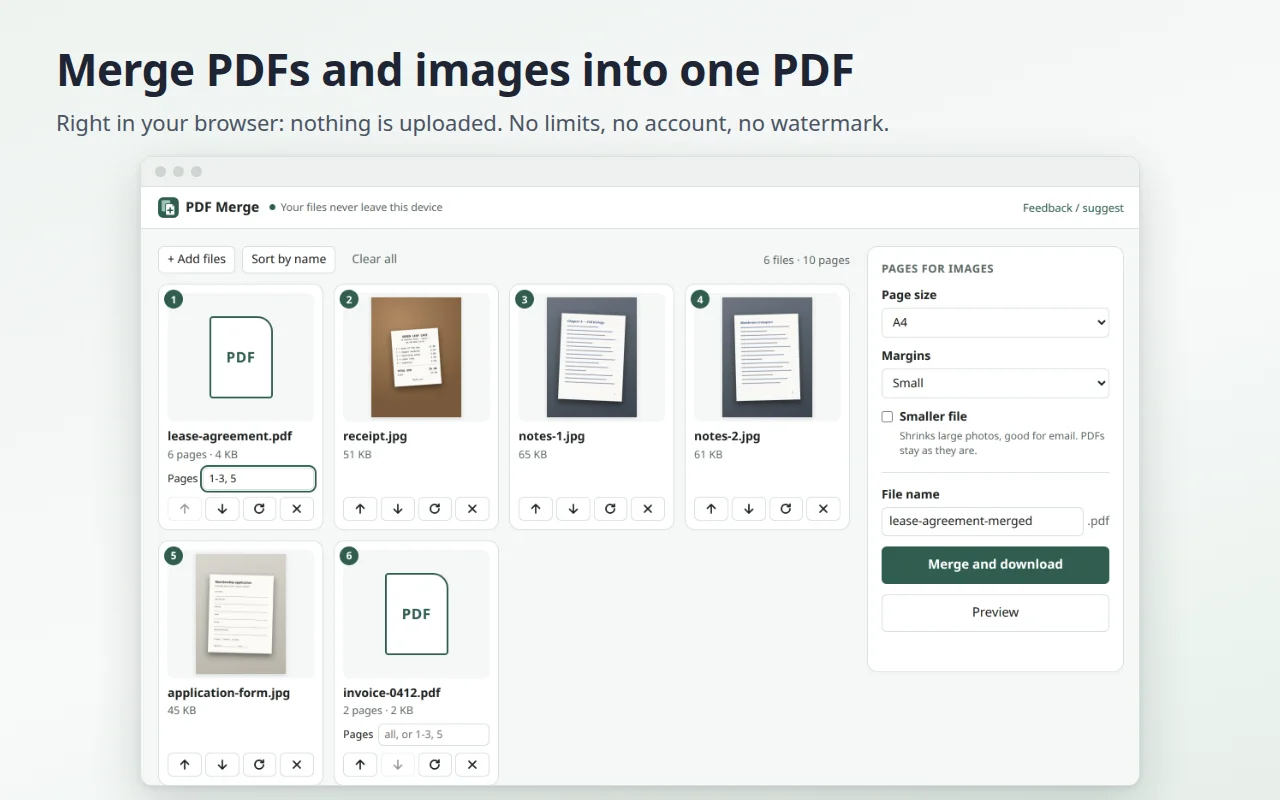
Combine PDFs and images into one PDF, right in your browser. Your files are never uploaded: no limits, no account, no watermark, and no paywall at the end.
Coming soon to Microsoft Edge Add-ons and Firefox Add-ons.
Why it exists
Online PDF tools make you upload your documents to someone else's server, and many of them ask you to pay or sign up only once the work is done. A rental contract, an invoice or the photos of a signed form should not need to leave your computer just to become one file. PDF Merge does the job in a page of the extension, on your device.
- PDFs and images together: JPG, PNG, WebP, GIF, BMP and AVIF become PDF pages, next to your PDFs.
- Add files your way: drop them on the page, choose them, or paste a screenshot with Ctrl+V.
- Any order: drag the cards or use the arrow buttons, rotate by 90°, or sort scans like 001, 002, 003 by name.
- Only the pages you need: type them in the "Pages" box of a PDF, for example 1-3, 5.
- Phone photos the right way up, with no loss of quality.
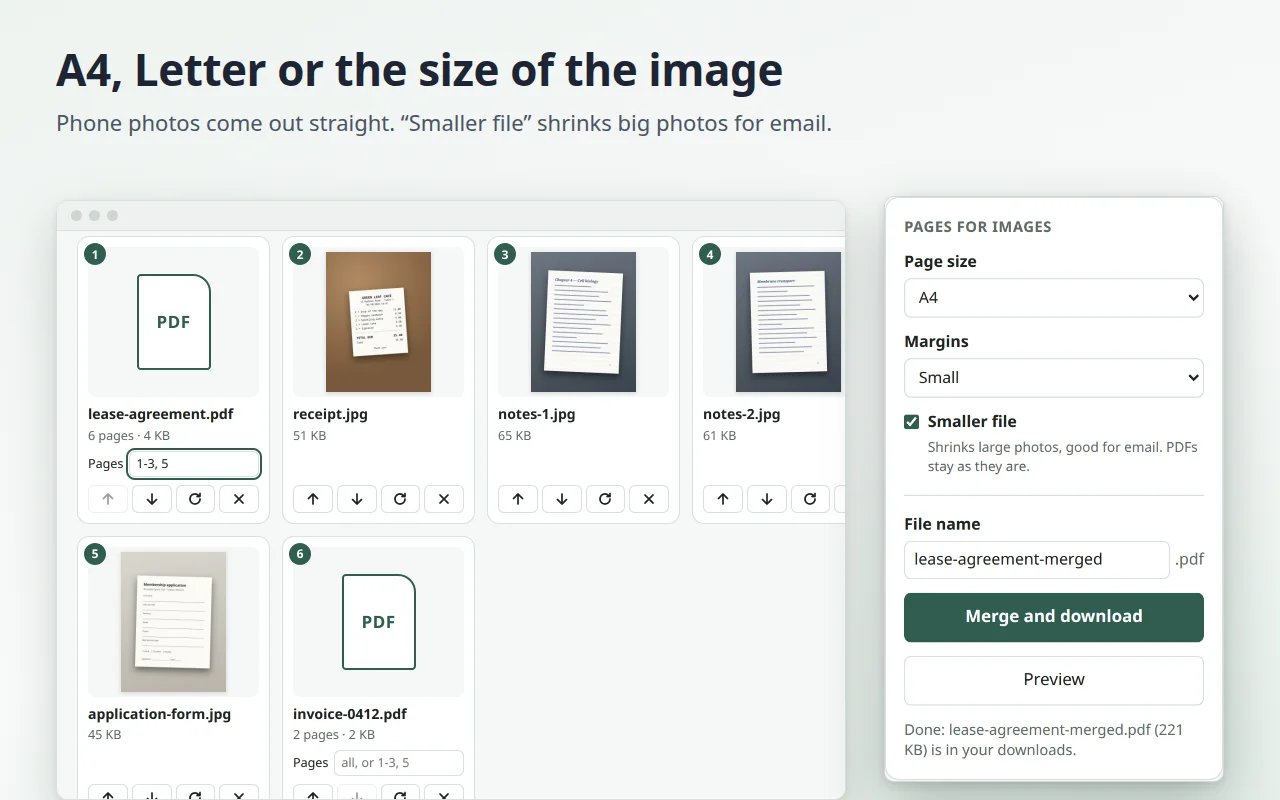
- Page size for images: A4, Letter or the size of the image, with or without margins.
- "Smaller file" shrinks large photos for email; PDFs stay as they are.
- Clear messages for password-protected PDFs, damaged files and HEIC photos from iPhone.
- No file or page limits. 14 languages, light and dark theme.
How it works
- Click the extension icon: the merge page opens in a new tab.
- Add your PDFs and images, then drag them to put them in order.
- Click "Merge and download": the new PDF is saved in your downloads.
Privacy
Your files stay on your device: the extension reads them only in its own page and never sends them anywhere. It has no access to your websites or tabs; its only permission is storage, to remember your settings. No account, no ads, no tracking. Details in the privacy policy.
Feedback
Missing a feature, or found a file that doesn't work? Tell us: we read every message, and it decides what we fix next.