 Ordelio
Ordelio Table Copy
Copy any table from a web page into your spreadsheet, or save it as a CSV file, in one click. Free, with no row limits.
Get it for Microsoft Edge Chrome Web Store and Firefox Add-ons: in review.
Why it exists
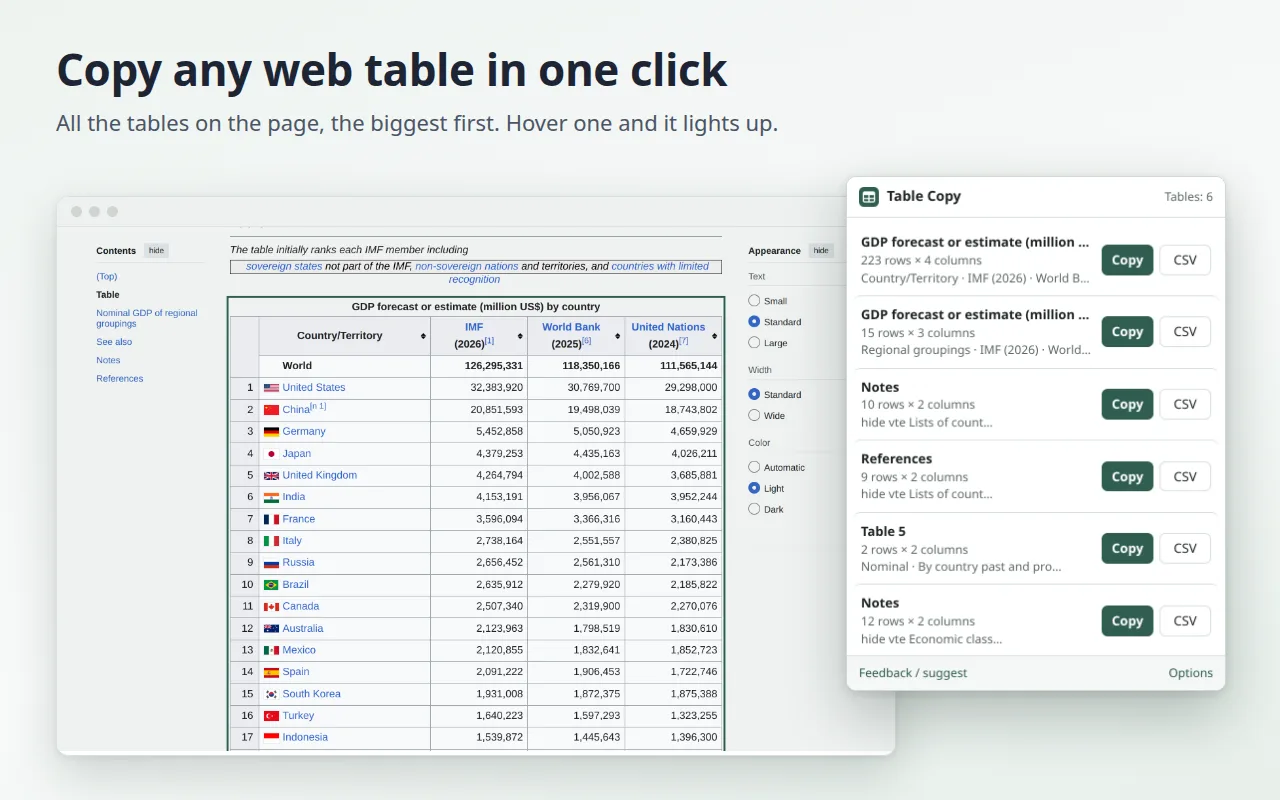
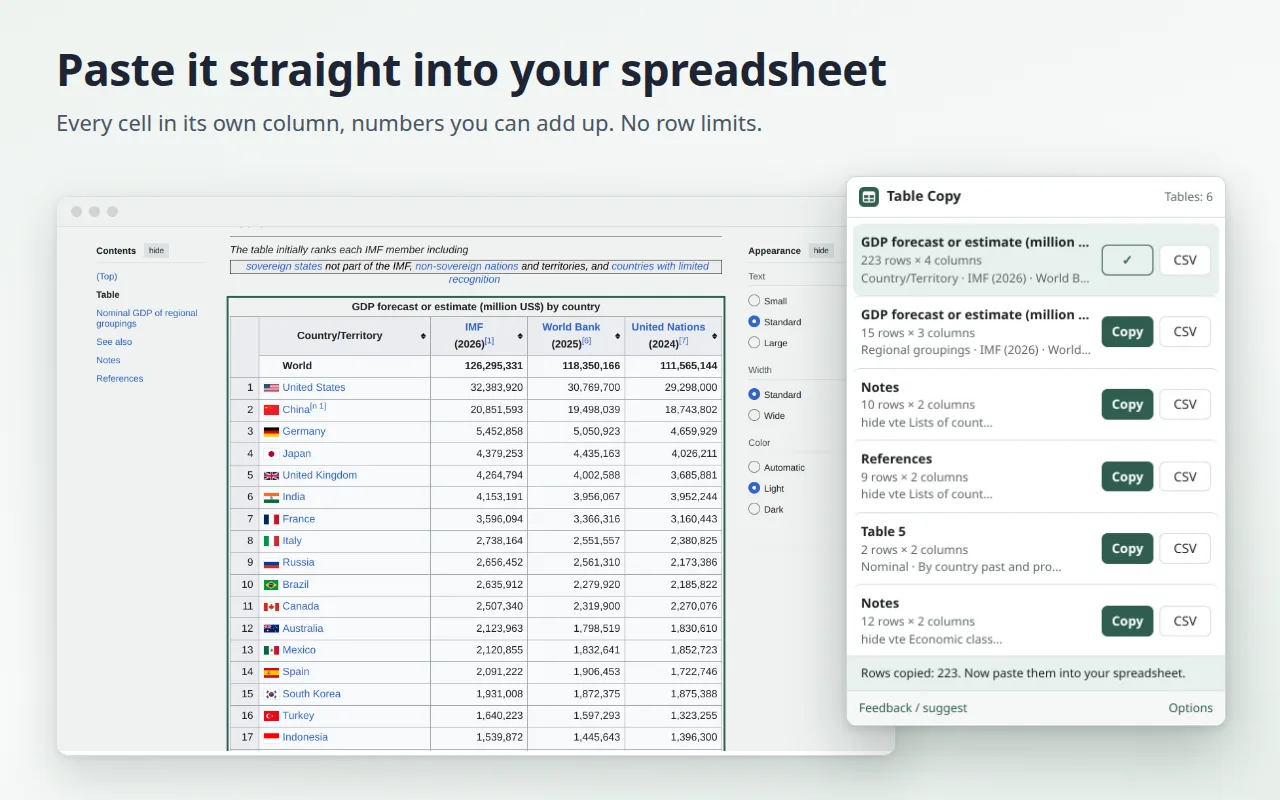
Data on the web is a pain to reuse: you select the text, paste it, and everything lands in one column, the numbers are not numbers and accented letters turn into gibberish. Table Copy finds the tables on the page and hands them to your spreadsheet the way it expects them.
- Every cell in its own column when you paste into Excel, Google Sheets, LibreOffice or Numbers.
- CSV that opens correctly: UTF-8 with accents intact, and a semicolon where your spreadsheet expects it.
- Numbers in your format: "1,234.56" becomes "1234,56" if your spreadsheet uses a decimal comma, and the other way round.
- Clean data: merged cells repeated in place so columns stay aligned; hidden text and footnote marks like [1] removed.
- Large tables without freezing the page (tested with 10,000 rows), and grids built without the <table> tag.
- Right-click on selected text inside a table to copy it or download it as CSV.
- 14 languages, light and dark theme.
How it works
- Open a page with a table and click the extension icon (or press Alt+Shift+Y).
- Pick a table from the list: Copy or CSV.
- Paste it into your spreadsheet, or open the downloaded file.
Not sure an extension is what you need? Our guide compares it with copy and paste, Excel's From Web and Google Sheets' IMPORTHTML: how to copy a table from a website into Excel or Google Sheets.
Privacy
The extension reads a page only when you click it, and only the tab you are on. What you copy stays in your browser and is never sent anywhere. No account, no ads, no analytics. Details in the privacy policy.
Feedback
Found a page that doesn't copy well? Tell us: we read every message, and it decides what we fix next.