 Ordelio
 Text Snippets
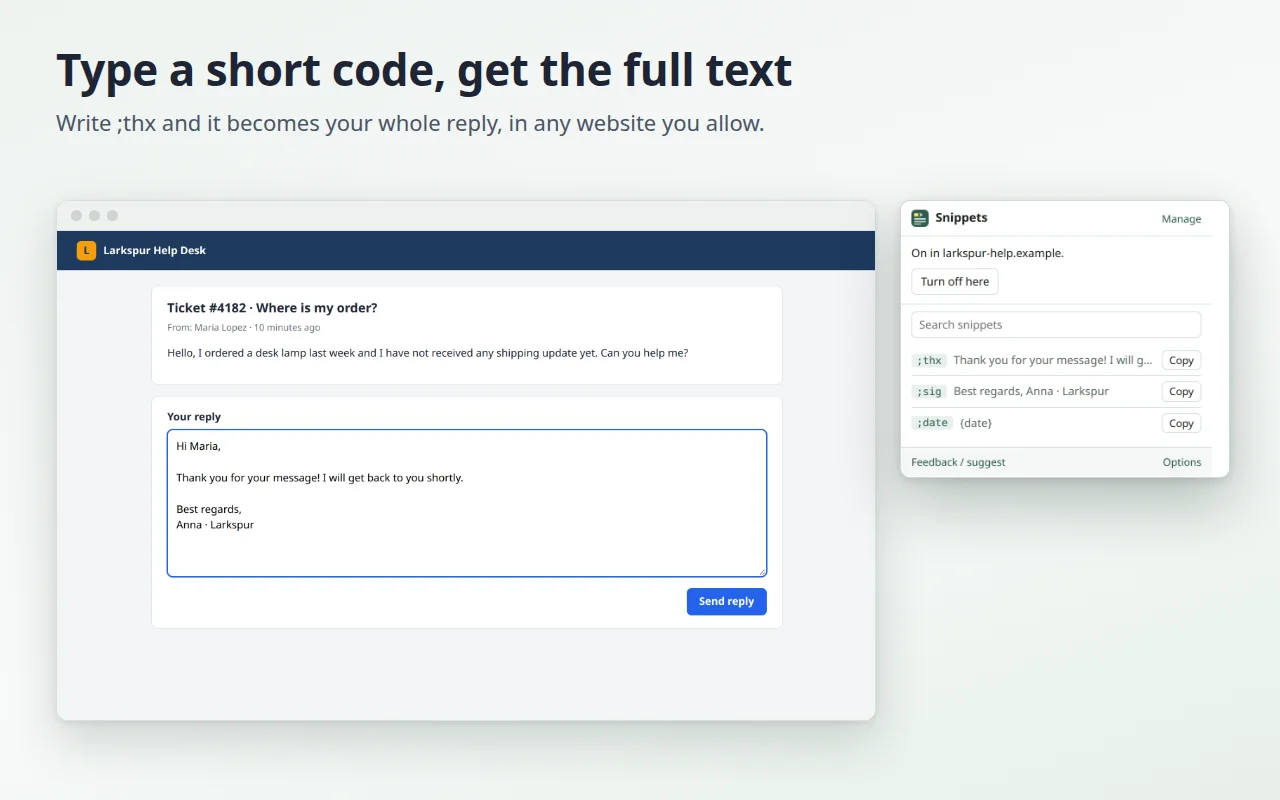
Stop typing the same things again and again. Save a text once, give it a short abbreviation like ;sig, and type it in any text field: it turns into the full text. Free, private, no account.
In review: Microsoft Edge Add-ons, Firefox Add-ons.
Why it exists
Signatures, replies you send every day, addresses, links, greetings: most of what we type at work is something we typed before. Text Snippets writes it for you in emails, forms, chats, comments and support tickets. Your snippets stay in your browser, and what you type is never saved or sent anywhere.
- Type ;sig and get the full text: a signature, or a multi-line reply, with line breaks kept.
- Works in plain text boxes and in rich text editors, tested in nine editors used by many websites.
- Date, time and cursor: insert {date}, {time} or {cursor} with one click, and choose where the cursor lands after the text.
- Undo with Ctrl+Z (⌘Z on Mac): the abbreviation comes back.
- Find and copy a snippet from the toolbar, searching in its text.
- You choose where it runs: all sites, or only the ones you pick, plus a "never in these sites" list.
- A warning for clashes when one abbreviation is the start of another (;ad and ;address).
- Backup: export and import your snippets as JSON or CSV.
- 3 ready examples in your language, and the interface in 14 languages.
How it works
- After installing, try the examples in the practice box of the welcome page.
- Click "Turn on in all sites" (your browser asks you to confirm), or turn it on one site at a time from the toolbar.
- Click "Manage" to write your own snippets: an abbreviation of at least 2 characters and the text.
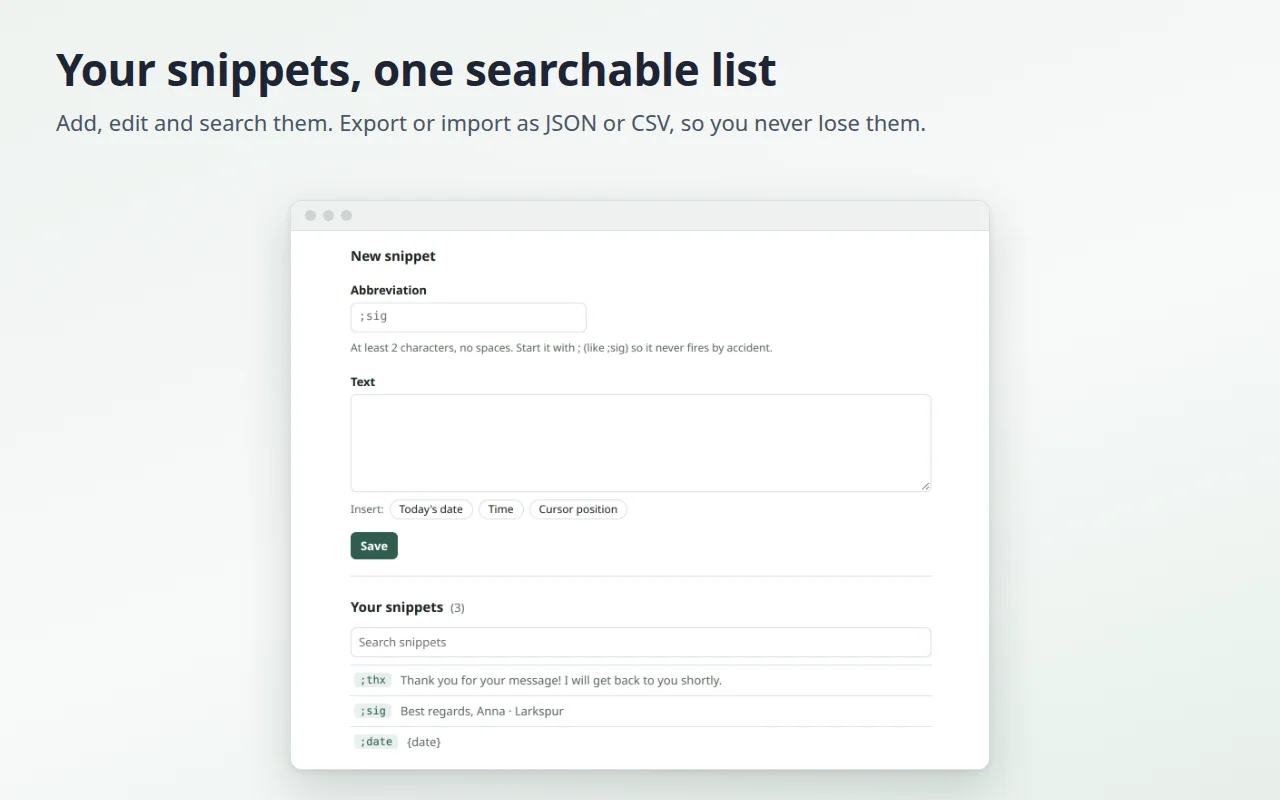
Start your abbreviations with a symbol like ; so they never fire while you write normal words. Google Docs and Sheets are not supported yet: there, use "Copy" in the toolbar and paste.
Privacy
The extension asks for access to a site only after you turn it on, with a click. What you type is read only to spot your abbreviations: at most the last 40 characters before the cursor, in memory, in your browser. It is never saved, logged or sent. Password, payment card and one-time-code fields are always skipped. Your snippets are stored only in this browser. No account, no ads, no tracking. Details in the privacy policy.
Feedback
Missing a feature, or found a site where a snippet does not work? Tell us: we read every message, and it decides what we fix next.